
 |
| Google Wallet is now available in India |
Introduction
On the stage of the recent tech event alongside the Pixel 8a, Google announced the launch of its Google Wallet app in India. This development has piqued the interest of Android users by promising a convenient way to manage non-payment digital items like tickets and rewards. Here's a deep dive into what Google Wallet offers, its utilities, and how it stands apart from Google Pay.
Google Wallet: An Overview
Google Wallet, tailored specifically for Android users in India, serves as a digital hub to conveniently store various non-financial assets such as:
- Rewards and loyalty points from various brands
- Boarding passes and other transportation tickets
- Digital car keys (limited compatibility)
Accessibility: For Android users running version 9 or newer, the app promises straightforward installation, accessible via Google's website if not found directly in the Play Store.
Key Features and Setup
Setting Up:
The process is user-friendly for those already using Google services. Signing up and starting with Google Wallet involves just a few clicks if you are logged into a Google account.
Utility and Partnerships:
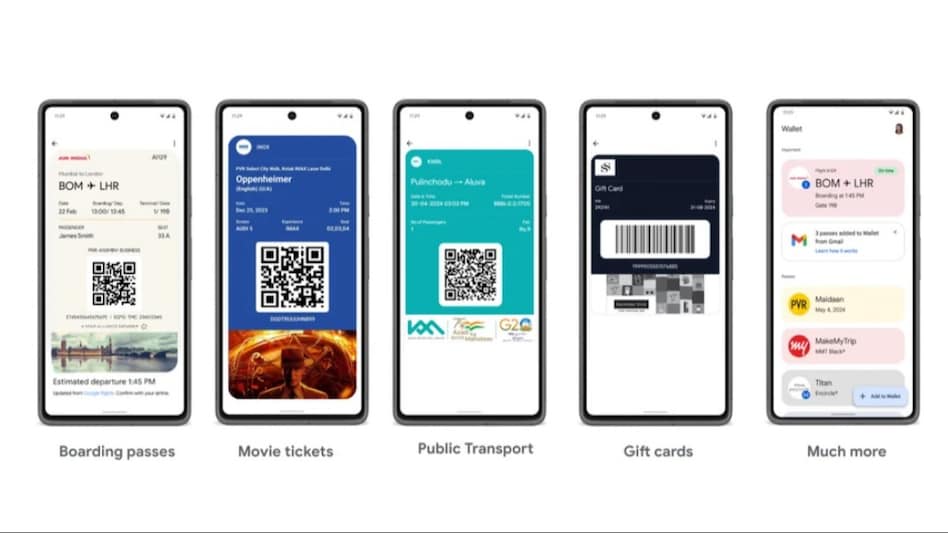 |
| Features of Google Wallet in India |
Users can add:
- Flight and movie tickets
- Vouchers from top brands like Air India, Flipkart, Inox, and Dominos
- Gift cards from partners such as Taj and Lenskart
Public Transportation: Currently, only Kochi Metro is supported, but it shows potential for future expansion.
How to Use Google Wallet
Adding Passes: Easy addition by scanning the barcodes or QR codes on physical or digital passes.
Gift Cards: Input details like card number and PIN. The balance is integrated and visible across other Google services.
Management: Old and expired passes can be archived to keep your wallet organized.
Google Wallet vs. Google Pay
While both apps are from Google, they cater to distinctly different needs:
Google Pay: Facilitates financial transactions using UPI and stores payment cards like RuPay.
Google Wallet: Focuses on storing and organizing non-payment digital items.
Google assures that both apps will coexist, serving their respective purposes without overlapping functionalities.

Additional Options
For users looking for an integrated solution:
Samsung Wallet
Offers features of both Google Wallet and Google Pay.
Apple Wallet
Available for iPhone users with similar functionalities to Google Wallet in India.
Conclusion
Google Wallet appears as a practical tool for managing digital assets, distinct from Google Pay which remains the go-to for financial transactions. This segregation of functionalities allows users to streamline their digital management in a more organized manner.